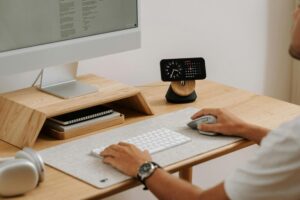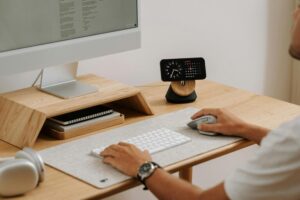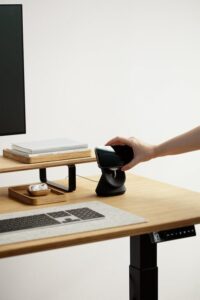
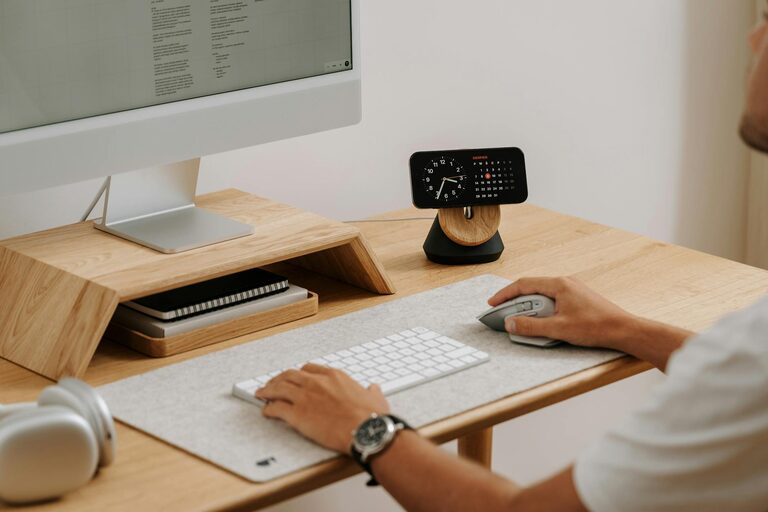
Creating a productive home office space is essential for anyone working remotely or running a business from home. A well-designed workspace can improve focus, reduce stress, and increase efficiency. Whether you have a dedicated room or a small corner of your home, there are ways to maximise your workspace to suit your needs. Here are some helpful tips to guide you through creating a home office that truly works for you.
1. Choose the Right Location
The first step is to select an area with minimal distractions. Ideally, this space should be quiet, well-lit, and away from high-traffic areas of your home.
– Natural Light: Position your desk near a window if possible. Natural light improves mood and reduces eye strain.
– Privacy: If you share your home with others, find a spot where interruptions will be less frequent.
– Space: Choose a place with enough room for your desk, chair, and any equipment you need.
2. Invest in Ergonomic Furniture
Comfort is key when spending long hours working. Investing in ergonomic furniture can prevent discomfort and long-term health issues.
– Chair: Look for an adjustable chair with good lumbar support to maintain proper posture.
– Desk: Your desk height should allow your arms to rest comfortably at a 90-degree angle when typing.
– Monitor Height: Your computer screen should be at eye level to avoid neck strain.
3. Keep Your Workspace Organised
An organised workspace reduces distractions and helps you stay focused.
– Declutter: Keep only the essentials on your desk.
– Storage: Use shelves, filing cabinets, or organisers to keep papers and supplies tidy.
– Cable Management: Use clips or cable boxes to keep wires neat and out of the way.
4. Personalise Your Space
While keeping your office functional, add personal touches that make the environment pleasant.
– Decor: Use artwork, plants, or photos to make the space inviting.
– Colours: Choose colours that promote calm and concentration, such as soft blues, greens, or neutrals.
– Lighting: Besides natural light, add adjustable desk lamps to reduce eye strain during darker hours.
5. Minimise Distractions
Maintaining focus is easier when you minimise common distractions.
– Noise Control: Use noise-cancelling headphones, or add rugs and curtains to absorb sound.
– Separate Work and Home: Create a clear boundary between your workspace and living areas.
– Digital Distractions: Turn off non-work notifications and keep your phone on silent or in another room when not needed.
6. Utilise Technology Wisely
The right technology setup supports productivity rather than hindering it.
– Reliable Internet: Ensure your connection is fast and stable.
– Essential Tools: Use productivity apps, scheduling tools, and file-sharing systems to stay organised.
– Backup: Keep regular backups of your work to avoid data loss.
7. Incorporate Movement and Breaks
Sitting for extended periods can be harmful. Incorporate ways to stay active during your workday.
– Take Breaks: Follow the 20-20-20 rule—every 20 minutes, look at something 20 feet away for 20 seconds.
– Stretch: Stand up and stretch or walk around regularly to reduce stiffness.
– Standing Desk or Desk Converter: Consider using a standing desk setup to alternate between sitting and standing.
8. Set a Routine
Establishing a daily routine helps maintain work-life balance and keeps your productivity consistent.
– Set Working Hours: Define when your workday starts and ends.
– Plan Your Day: Use to-do lists or planners to organise tasks.
– Create Rituals: Simple routines like a morning coffee or a quick tidy-up before starting can signal your brain it’s time to work.
—
By following these tips, you can create a home office space that not only looks good but also supports your productivity and wellbeing. Remember, the best workspace is one tailored to your unique needs and preferences, so feel free to experiment and adjust as you go. Happy working!